Browse Our Latest Collections Up to 30% Off
Top 7 Workplace Ergonomics Mistakes and How to Fix
Discover the top 7 workplace ergonomics mistakes and how to fix them. Improve comfort, productivity, and posture with Royal Real Touch Office Furniture Dubai’s ergonomic workstations and office solutions.
WORKSTATIONSLUXURY OFFICE FURNITURE
Royal Real Touch
1/9/20262 min read
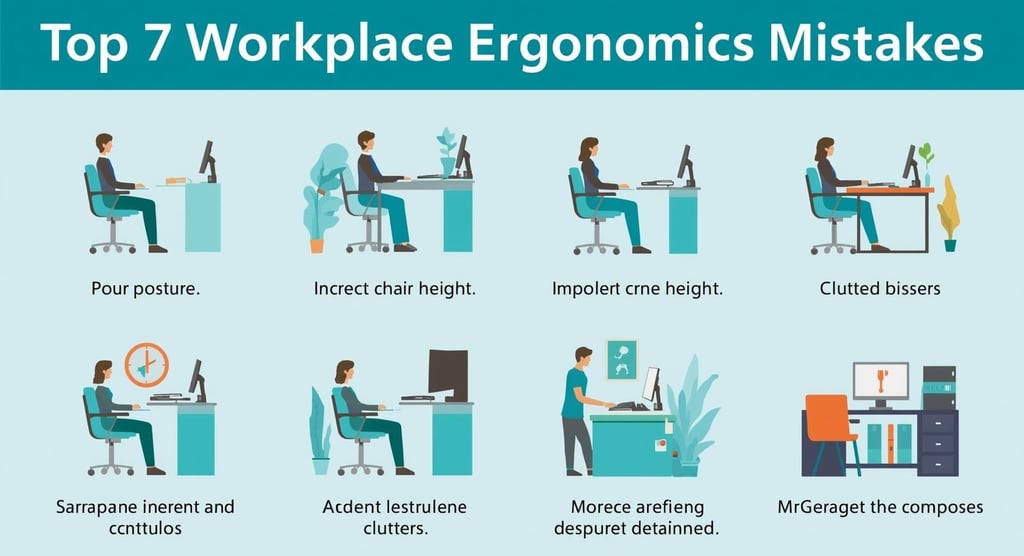
Top 7 Workplace Ergonomics Mistakes and How to Fix Them
Workplace ergonomics is not just about visual appeal. It directly impacts employee health, comfort, and productivity. Poor ergonomic setups lead to back pain, neck strain, fatigue, and long-term musculoskeletal issues, especially for employees working long hours at desks.
Modern offices must prioritize ergonomic design through proper furniture selection and workstation planning. This guide highlights the seven most common workplace ergonomics mistakes and explains how to fix them effectively.
1. Chair Height Set Too Low or Too High
Incorrect chair height is one of the most frequent ergonomic mistakes. When knees sit higher or lower than hips, it puts pressure on the lower back and disrupts spinal alignment.
How to fix it
Adjust the chair so feet rest flat on the floor
Keep knees at a 90-degree angle
Ensure hips sit slightly higher than knees
Use an adjustable ergonomic office chair with lumbar and arm support
Choosing the right ergonomic seating is essential. High-quality office furniture designed for long-term use helps maintain proper posture throughout the workday.
2. Storing Items Under the Desk
Placing bags, boxes, or accessories under the desk restricts leg movement and forces unnatural sitting positions. Over time, this leads to knee pain, thigh pressure, and posture problems.
How to fix it
Keep the area under the desk clear
Use storage cabinets or desk organizers
Allow enough legroom for free movement
Well-designed office workstations provide adequate storage without compromising leg space.
3. Leaning Forward While Working
Leaning toward the screen places continuous stress on the spine and neck. This posture is a major cause of chronic back pain and spinal issues.
How to fix it
Sit with your back fully supported
Use built-in lumbar support or a back cushion
Keep shoulders relaxed and spine neutral
An ergonomic workstation supports the natural curve of the spine and reduces strain during long working hours.
4. Ignoring Breaks and Body Movement
Even the best furniture cannot compensate for sitting continuously. Prolonged sitting reduces circulation and causes stiffness in joints and muscles.
How to fix it
Change posture frequently
Stand or stretch every 30 to 60 minutes
Use workstations designed to support movement
A professionally planned office layout encourages healthier work habits and improves productivity.
5. Incorrect Monitor Placement
Placing the monitor too high or too low forces the neck into awkward angles, leading to shoulder and neck pain.
How to fix it
Position the monitor slightly below eye level
Keep it an arm’s length away
Place it directly in front of the user
Proper monitor placement is a core element of ergonomic workstation design.
6. Excessive Phone Use Without Support
Holding phones for long periods causes neck stiffness, shoulder tension, and wrist strain, especially during calls or video meetings.
How to fix it
Use a headset for calls
Avoid holding the phone between shoulder and ear
Use a phone stand for video conferencing
Simple accessories can significantly reduce upper-body strain in modern offices.
7. Poor Lighting and Lack of Natural Light
Insufficient lighting causes eye strain, headaches, and mental fatigue. Dark workspaces also encourage poor posture as employees lean closer to screens.
How to fix it
Position desks near natural light sources
Reduce screen glare by adjusting monitor angles
Use high-quality desk lamps when needed
Good lighting improves both posture and focus.
Conclusion
Workplace ergonomics plays a critical role in employee well-being and productivity. These common mistakes are easy to overlook but costly in the long run. By investing in ergonomic office furniture and properly designed workstations, businesses can create healthier, more efficient work environments.
Explore professionally designed office solutions at Real Touch Furniture, a trusted provider of modern office furniture and ergonomic workstations in the UAE. Learn more about customized solutions by visiting the office workstation supplier page or explore the full range of office furniture on the official website.
👉 https://www.realtouchfurniture.ae/
Customization

Quick Links
Company
Leading office furniture manufacturer, designer, and supplier in Dubai.
Copyright © 2025 ROYAL REAL TOUCH OFFICE FURNITURE Manufacturing LLC . All Rights Reserved. Terms Of Use Privacy Policy
Have Questions? Call Us
Products
Email: info@realtouchfurniture.ae